Pair now

Git is an excellent mailbox and a mediocre instant messenger. When both people are actually at the keyboard, Glitr opens a direct live link so the next message does not wait on a push and a poll. Pair now is the path with no git URL: QR, paste, or NFC exchange a bundled invite, and the data channel opens without a mailbox bulletin board.
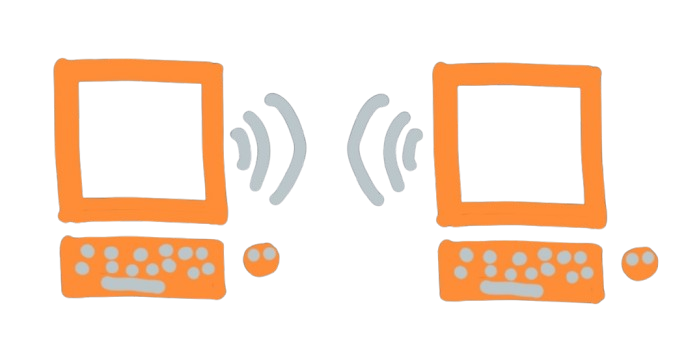
This is Talk now. You start on this device, set a profile, and pair with someone over a live link. Both of you must stay open for messages to arrive. You do not need a git remote, token, or CORS proxy.
If you need offline delivery or a host backup, use the mailbox track instead, or attach remotes after you have talked.
What you need
- Two people (or two browser tabs) on a secure context (
httpsorlocalhost). - An encryption password on each side. It seals documents in the local workdir. It is not recoverable.
- Camera access if you will scan a QR code (paste still works without a camera).
Open Glitr. On the Connect screen choose Start on this device, set an encryption password, and tap Start. No git URL is required. On the web, the app keeps a stable local workdir for this device so a refresh can reopen the same history. Set a display name and handle. Pairing needs a profile id on each side.
The invite is the handshake
On Contacts, tap +, then Pair now (not Git URL):
- One person taps Connect now and shows or copies the invite (
wu1:— QR, paste, or NFC). - The other scans or pastes the invite; a reply
wu1:appears. - The first person pastes or scans the reply.
- When the data channel opens, each side saves a contact with a live address (
webrtc://…) and status Live.
The same invite / reply panel is on Contact details (P2P) for an existing contact. While that panel is open for that contact, git signaling for that id is paused (relevant once you have remotes).
The invite is a bundled SDP+ICE offer — the same class of handshake as the live experience. A dedicated two-browser meet lets you feel the “both online” path without standing up two git remotes first. In the messenger, Pair now is that path; git signaling is the fallback broker when both sides already have remotes and a git contact.
What rides the link
Messages, receipts, and 1:1 files. Chat bodies and file payloads on the data channel use the same recipient cascade as git outbound (AES → Signal → PQXDH, then RSA hybrid → ML-KEM), not plaintext over DTLS. A live file is sealed as one cascade ciphertext, then that ciphertext is sent in chunks. Soft cap is 32 MiB of plaintext. Progress in the thread updates about once a second. You can cancel; the other side stops.
Local sent and inbox still update so the thread does not forget what you just said. Incomplete file transfers persist in a sealed file-transfers collection so a dropped channel can resume.
There is no git outbound fallback for pair-now contacts. If either tab closes or the link drops, delivery stops until you pair again (or you move to the mailbox track). Files on this pair stay live-only. Git-URL contacts can attach offline.
Voice and video exist on an open live link and are in progress — treat them as experimental, live-only, and not a substitute for the mailbox.
Why it sometimes never goes Live
ICE has to find a path between two networks. Some networks will not. There is no Glitr STUN farm you must trust as the product (your browser will still use ordinary WebRTC ICE, which may involve public ICE servers — that is how browsers find a path, not how Glitr stores chat). Product ICE is STUN-only; there is no TURN in the messenger bundle.
On Talk now, you need ICE or you re-pair later. On the mailbox track, Glitr’s promise in that case is git delivery, not a VPN.
Refresh (web, same tab, credentials still in session storage) reconnects to the same local workdir. Logout while local-only clears the session but does not wipe the local-only workdir (it is the only copy). Log in again with the same password to reopen it.
Pair now is the hallway conversation. The mailbox is the door. You can start in the hallway and attach a door later.
How to do it: Talk now. How the handshake works: Direct live links. Feel it without remotes: Live link.