Introducing Glitr

Most messengers sell you a company inbox. You register a phone number, they hold the thread, and you hope they stay solvent, honest, and online. Glitr is a private messenger for people you already trust. There is no Glitr account, no phone-number directory, and no central server that stores your conversations.

History starts on this device. Optionally you attach a git repository you control. That repository becomes your mailbox, your backup, and an address other people can use to reach you when you are offline. Their repository is theirs. Glitr reads and writes those repositories from your device, with encryption in between.
That is the product: a messenger that can stay on the device, or use a repo you already know how to own.
The idea in one minute
- You open Glitr and Start on this device (encryption password only), or connect one HTTPS git remote if you already have a mailbox.
- You set a display name and handle.
- You meet someone: Pair now (QR, paste, or NFC) for an instant live link, or exchange repository URLs and add each other as git contacts.
- You send a message — or a file. On a live link it travels peer to peer (files are sealed, then chunked). On the git path, Glitr writes an encrypted payload into your repository and pushes it; their app fetches your repository when they next poll. Voice and video use the live link only.
- If you started local-only, you can attach remotes on Profile later so the same history has an off-device backup.
You never write into someone else’s repository. You write outbound on yours. They keep a fetch-only clone of yours and ingest what is addressed to them.
Two tracks, one chrome
| Track | What you need | How you meet | If the other person goes offline |
|---|---|---|---|
| Talk now | Encryption password | Pair now | Delivery stops until you are both Live again |
| Own a mailbox | HTTPS git remote + token | Git URL contact | Git push / poll still delivers |
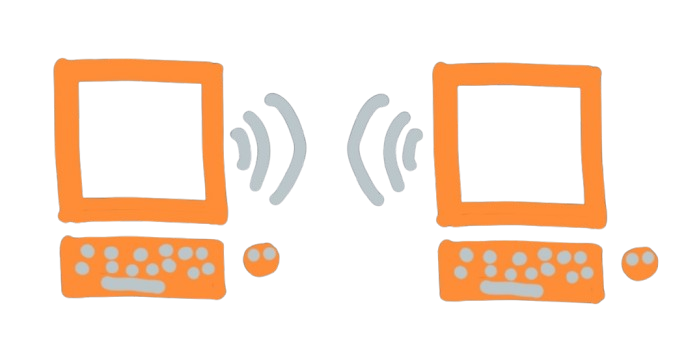
Both tracks use the same chats, contacts, and profile. You can attach a mailbox after you started local-only. Talk now is the hallway conversation: both of you have to be here. The mailbox is the door you leave a note on.
What you get
- Chats — a list, threads, unread badges, and delivery ticks (sent, delivered, read).
- Contacts — people you added by live pair or by the git URL they gave you, with a connection status (pending, active, live).
- Profile — your name, handle, and (when attached) the git remotes you copy, attach, or remove.
- A progressive web app — install it on a phone or desktop from the browser; it keeps working after the first visit.
- Desktop and mobile builds — the same app, packaged, if you prefer a window instead of a tab.
- Encryption — sealed data at rest (Argon2id then AES-GCM), a recipient cascade (AES → Signal → PQXDH, then RSA hybrid → ML-KEM), and a Signal Protocol handshake library that is open source.
- Live when you can — Pair now or git-brokered signaling; a direct link carries messages, files, and voice or video while both sides are present.
- Groups — a thread that fans out one encrypted copy to each member’s mailbox. There is no shared group repository.
glitr.io hosts this documentation site. It is not a chat server. The client (whatsup) talks to an in-process API (api-core) that writes records through db-core, encrypts recipient payloads with crypto-cascade, and uses webrtc-core when both people are online. The Signal handshake library is public; the rest of the messenger is not. Treat the stack as research and development — subject to change — and not as a claim of wire compatibility with the Signal app.
What Glitr is not
- Not a company inbox. We do not store your thread on our servers. If you lose the only copy (local-only with no remote, or the repository and the password), we cannot restore the conversation.
- Not anonymous-by-magic. A git host can see that a repository exists and is being updated. Encryption hides message bodies; it does not hide the fact of traffic.
- Not guaranteed instant. Offline delivery waits on git fetch and push. Instant is the live path, when both of you are here.
- Not a git host of our own. When you use the mailbox track, you bring the repository. Some hosts may dislike this use of their service.
Those limits are the product, not a footnote. You gain a mailbox you can clone, backup, and delete yourself. You lose the feeling that a corporation is holding your unread line in RAM.
Who it is for
People who want messaging that does not depend on a chat company remaining solvent, honest, or online. People who will start on a device and optionally learn a repository URL and an access token. People who will trade a little setup for history they can own.
If that is you, start with Install the app, then either Talk now or Your first conversation. The product map lives on Architecture. The rest of this blog walks the mechanisms: the git mailbox, the five-layer cascade, Signal, post-quantum, pairing, live vs git, groups, and what a host can still see.