Direct live links
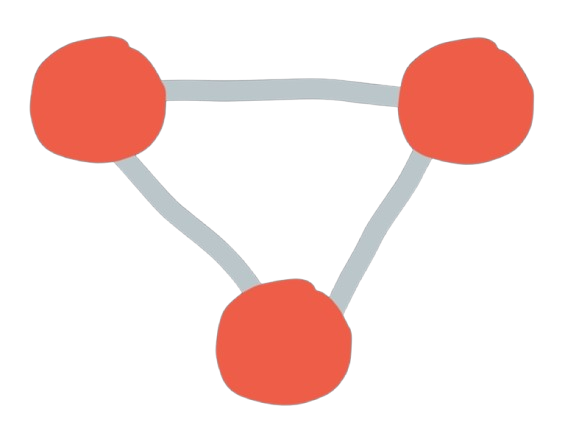
Git is an excellent mailbox and a mediocre instant messenger. When both people are actually at the keyboard, Glitr tries to open a direct live link so the next message does not wait on a push and a poll.
There are two ways to get that link: Pair now (out of band) and git signaling (mailbox bulletin board).
Pair now (out of band)
Contacts + → Pair now exchanges a bundled SDP+ICE invite (wu1:) via QR, paste, or NFC — the same class of handshake as the live experience. No git remote is required. When the data channel opens, each side saves a live contact (webrtc://…).
There is no git outbound fallback for those contacts. If the channel dies, delivery stops until you pair again or move to git URL contacts.
While a Pair now panel is open for a contact, git signaling for that id is paused.
Git as the broker
There is no Glitr STUN farm you must trust as the product (your browser will still use ordinary WebRTC ICE, which may involve public ICE servers — that is how browsers find a path, not how Glitr stores chat).
For git-URL contacts with remotes, the introduction is yours:
- Each connected app publishes a signaling row for a contact on its own repository.
- The inner handshake (offer/answer, candidates) is encrypted to that contact.
- The other app’s poll decrypts rows addressed to it and completes the handshake.
- Status moves Connecting → Live.
Logout or disconnect deletes the signaling row. You are not leaving a permanent “call me” file after you close the door.
One row per contact; refreshing it updates the handshake, it does not pile a new file beside the old one forever.

What rides the link
Messages, receipts, and 1:1 files. Chat bodies and file payloads on the data channel use the same recipient cascade as git outbound (AES → Signal → PQXDH, then RSA hybrid → ML-KEM), not plaintext over DTLS. A live file is sealed as one cascade ciphertext, then that ciphertext is sent in chunks. Send skips outbound git for those live lines. Local sent/inbox still update so the UI does not forget what you just said (or attached).
Live 1:1 file transfer can resume after a drop (file-transfers/). Soft cap is 32 MiB of plaintext. Progress in the thread updates about once a second. You can cancel; the other side stops.
Git attachments (offline DMs and every group send) write the file inside the outbound envelope instead — see Send and receive. Groups never use the live file path.
If the channel dies and the contact has a git URL, the next text or file send is git again. You will see ticks follow the git table, not the live table. Pair-now contacts do not get that fallback.
QR and two-browser meet
A dedicated live experience lets two browsers meet with a compact invite (including a QR form). That is the same class of handshake: bundle the offer, let the other device answer, then talk over a data channel.
Use it to feel the “both online” path without standing up two git remotes first. In the messenger, Pair now is that path; git signaling is the fallback broker when both sides already have remotes and a git contact.
Why it sometimes never goes Live
ICE has to find a path between two networks. Some networks will not. On the mailbox track, Glitr’s promise in that case is git delivery, not a VPN. On Talk now, you need ICE or you re-pair later. See Live vs offline and Troubleshooting.