Connect your repository
Connecting is how Glitr learns which session is yours on this device. You can start local-only (history stays on the device until you attach remotes), or connect one HTTPS git remote as your mailbox.
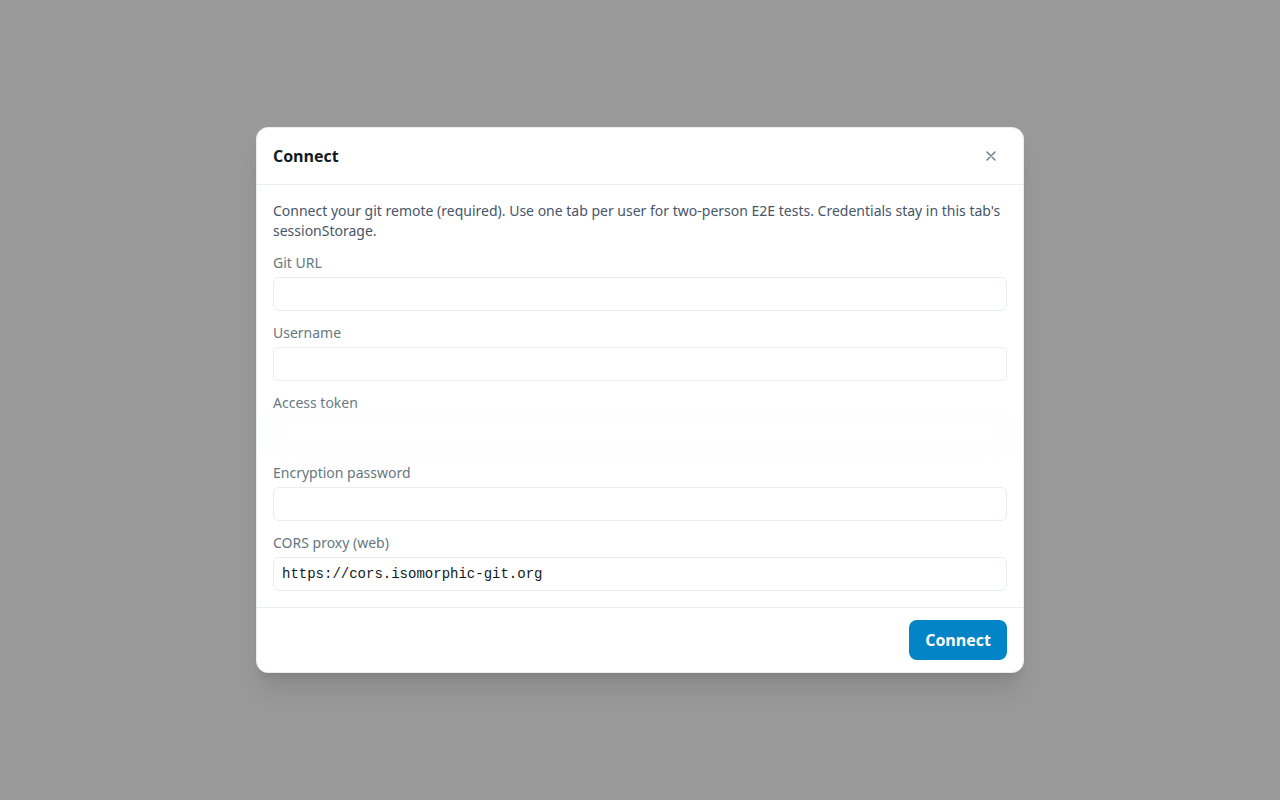
Two modes on Connect
Start on this device
Encryption password (and a local workdir). No git URL. Use this for Talk now. You can attach remotes on Profile later.
Connect git remote
One primary URL, username, token, encryption password, and — on the web — a CORS proxy. Extra backup remotes are added on Profile, not on this screen.
If this device already has a local workdir for that URL and its history has diverged from the remote (neither tip is an ancestor of the other), Connect asks you to confirm adopting the remote. That discards local-only commits on this device and reclones from the remote. Fast-forward cases (local ahead or remote ahead) do not need this confirm.
What connect actually does
On success, Glitr:
- Opens or creates a local working copy (in the browser this lives in origin-private storage on that device; on desktop it is a folder).
- Unlocks encrypted documents with your password, or prepares to create them.
- Ensures the messaging layout exists (profile, contacts, outbound, inbox, sent, receipts, signaling). An empty remote is bootstrapped when you connect or attach one.
- If you connected a remote, starts background sync: commit and push your own repo; fetch contact clones on a timer.
Refresh on the web, while this tab still has credentials, reconnects without the form. It decrypts the local copy and shows chats immediately; sync continues in the background.
Logout
| Session | Logout |
|---|---|
| Local-only (no remotes) | Clears the session and credentials. Does not wipe the local-only workdir (it is the only copy). Same password reopens it. |
| Remote-backed (any remotes attached) | Wipes local own-repo and contact clones and clears credentials. The remote repository is not deleted. The next visit clones fresh. |
The fields (git remote mode)
Git URL
The HTTPS URL of your repository. Example shape: https://host.example/you/glitr-mailbox.git.
Use HTTPS, not SSH. The app talks to git over HTTP(S) from the browser or the desktop helper. SSH keys in ~/.ssh are not used here.
One person, one primary mailbox URL at Connect. Do not connect two identities to the same URL.
Username and access token
The username is whatever the host expects (often your host username, sometimes git or oauth2). The token is a personal access token (or deploy token) with:
- Read access to the repository (clone, fetch).
- Write access to contents (push /
git-receive-pack).
A token that can only read will let you open old chats and still fail every send. The app records write denied rather than pretending the push worked. If attach rejects credentials, use Edit and try again — see Git remotes on Profile.
Treat the token like a password. Glitr keeps it on the device for the session. We do not have a server that stores it.
Encryption password
This password derives the key that seals documents in the workdir (and on the remote when you have one). It is not the git host password.
- Choose something you can repeat on every device you use.
- If you forget it, the encrypted documents will not open. There is no reset email.
- Changing it later means you must be able to decrypt with the old password first; do not experiment on the only copy of a conversation you care about.
The password does not encrypt everything in a remote. Coordination files such as read receipts and live-handshake envelopes are intentionally readable enough to do their job. Details: What is encrypted vs what a host can see.
CORS proxy (web only)
Browsers refuse direct git HTTP to most hosts (missing CORS headers). A proxy forwards those requests.
The app offers a public default suitable for trying Glitr. It is not a privacy boundary: the proxy sees git HTTP traffic. For anything you rely on, run a proxy you control, or use a desktop build that talks to git without a browser CORS proxy.
If login fails only on the web, the proxy is the first thing to check.
After you connect
Open Profile. Confirm the display name. Under Git remotes, confirm the URL(s) you intend to share — copy icon on a row. That string is your address when using the mailbox track. Give it to people the way you would give a phone number — only to people you want writing into a relationship with that mailbox.
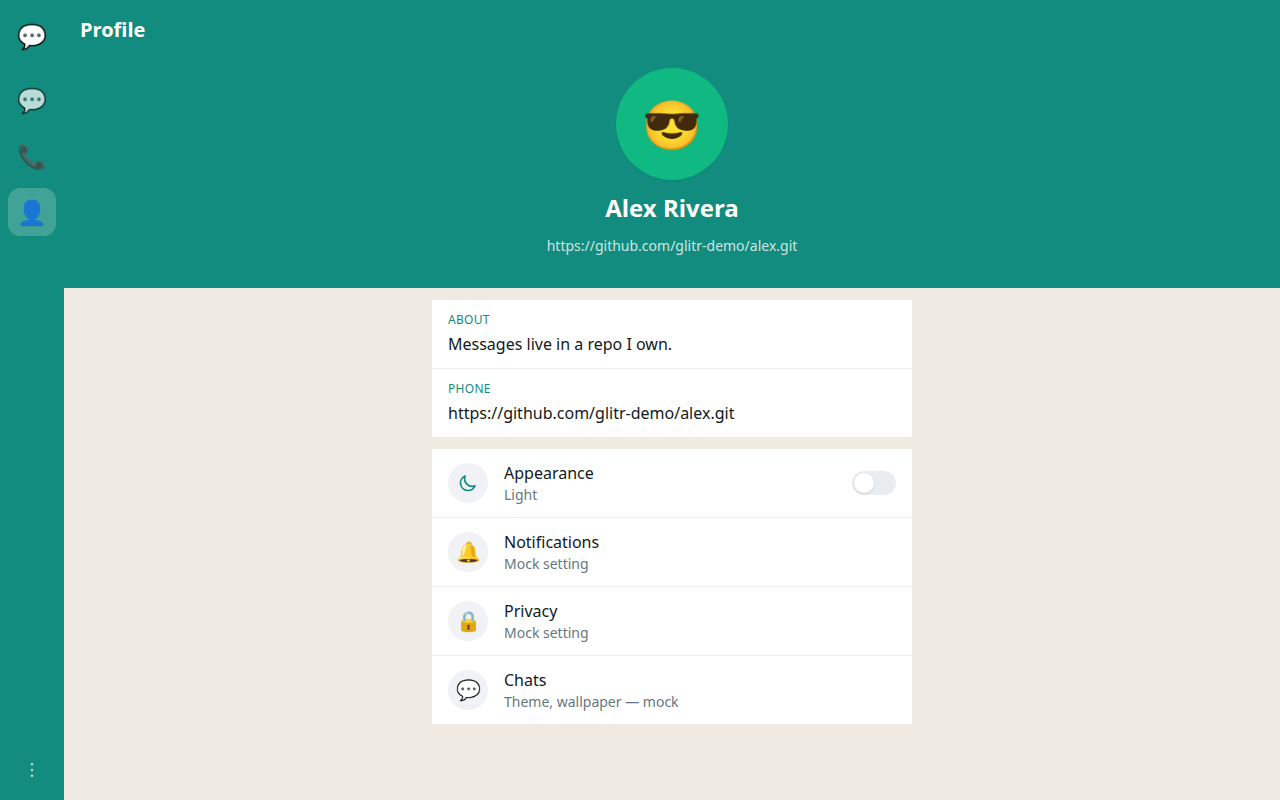
Then add a contact, manage git remotes, or follow Your first conversation if you are pairing with someone in the same sitting.
Reconnecting later
Same device, same browser profile, still logged in: refresh is enough.
New device: Move to another device — same URL(s), same token (or a new token), same encryption password. Local-only history does not appear on a new device until a remote has been attached and pushed.